Your second brain, available on the plane.
Your journal, your tasks, your reading list, and every idea you don’t want to lose, linked together as you write. A folder of markdown on your own computer, and it goes wherever you decide it should go.
Notes tend to end up scattered everywhere: a notes app for ideas, a task manager for tasks, a document for the reading list, and nothing connects them. A year later you can’t find the thing you know you wrote down. Somewhere...
Let’s talk about Sam
Meet our fictional friend Sam. He photographs herons on early walks along the river, reads a book or two a month, meets his friends Jo and Pete at the photo club, and is moving soon. His ideas used to live in a notes app, his tasks in a to-do app and his reading list in a document, and none of it connected.
Now it’s all one SilverBullet space. He writes a journal page every day and links whatever comes up: a person, a book, a walk. Those pages fill up on their own with every day that mentions them, his tasks are gathered from wherever he wrote them, and his reading list keeps itself.
Let’s walk through Sam’s notes and see what it looks like; its files are on GitHub. It’s just one example of how a space could be set up. Yours will likely look nothing like it, and that’s exactly the point: you make SilverBullet work the way you want.
A home page of your own.
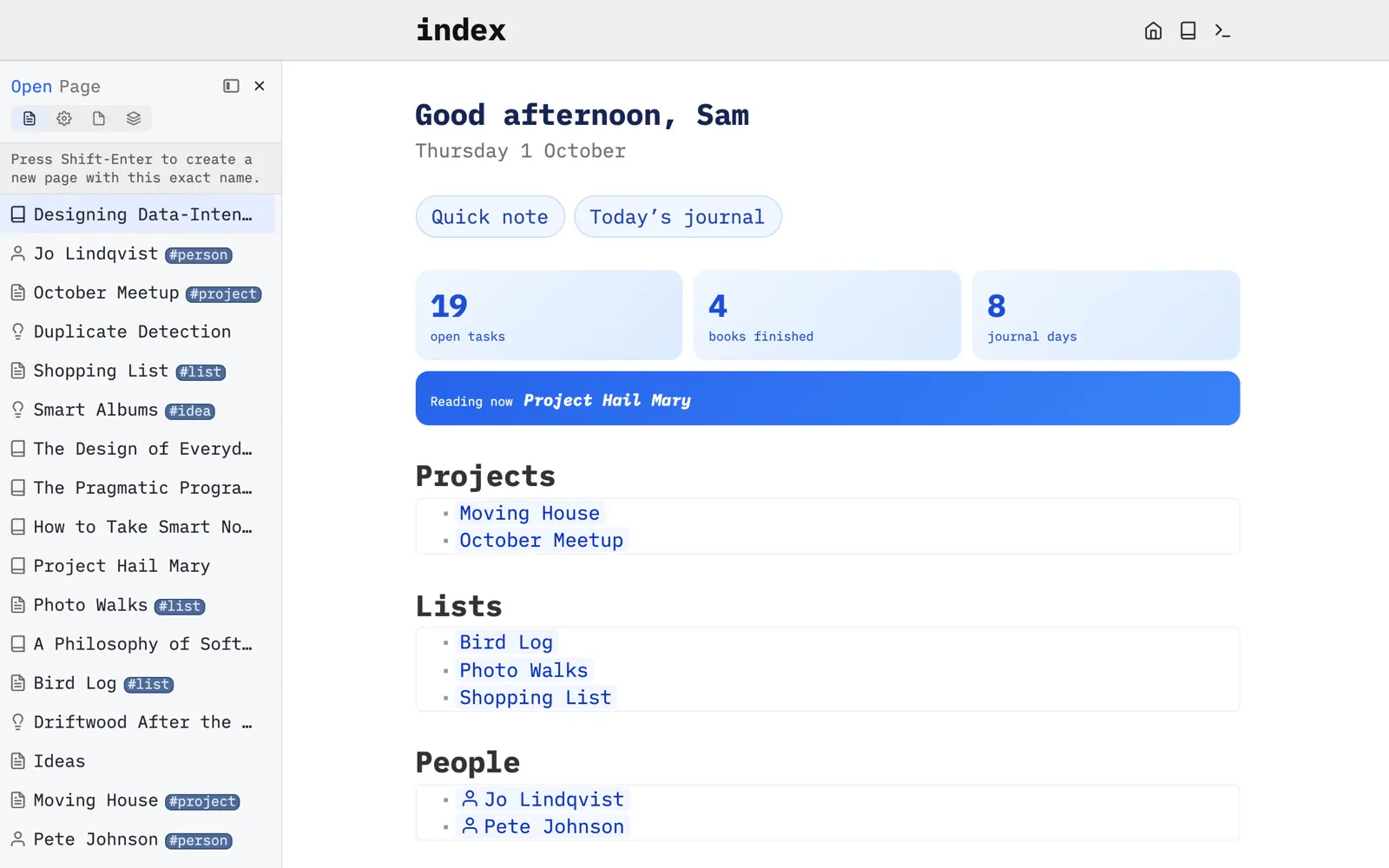
Sam’s index page greets him, offers buttons for a quick note and today’s journal, counts his open tasks and finished books, and lists his projects, lists, people and ideas, all live from the space.
Built with: Space Lua · Space Style · Queries
Show some code
function home.greeting(name)
  local hour = tonumber(os.date "%H")
  local part = hour < 12 and "morning" or hour < 18 and "afternoon" or "evening"
  local date = os.date "%A" .. " " .. tonumber(os.date "%d") .. " " .. os.date "%B"
  return widget.htmlBlock(dom.div {
    class = "home home-greeting",
    dom.h1 { "Good " .. part .. ", " .. name },
    dom.p { date },
  })
endFrom Library/Home.
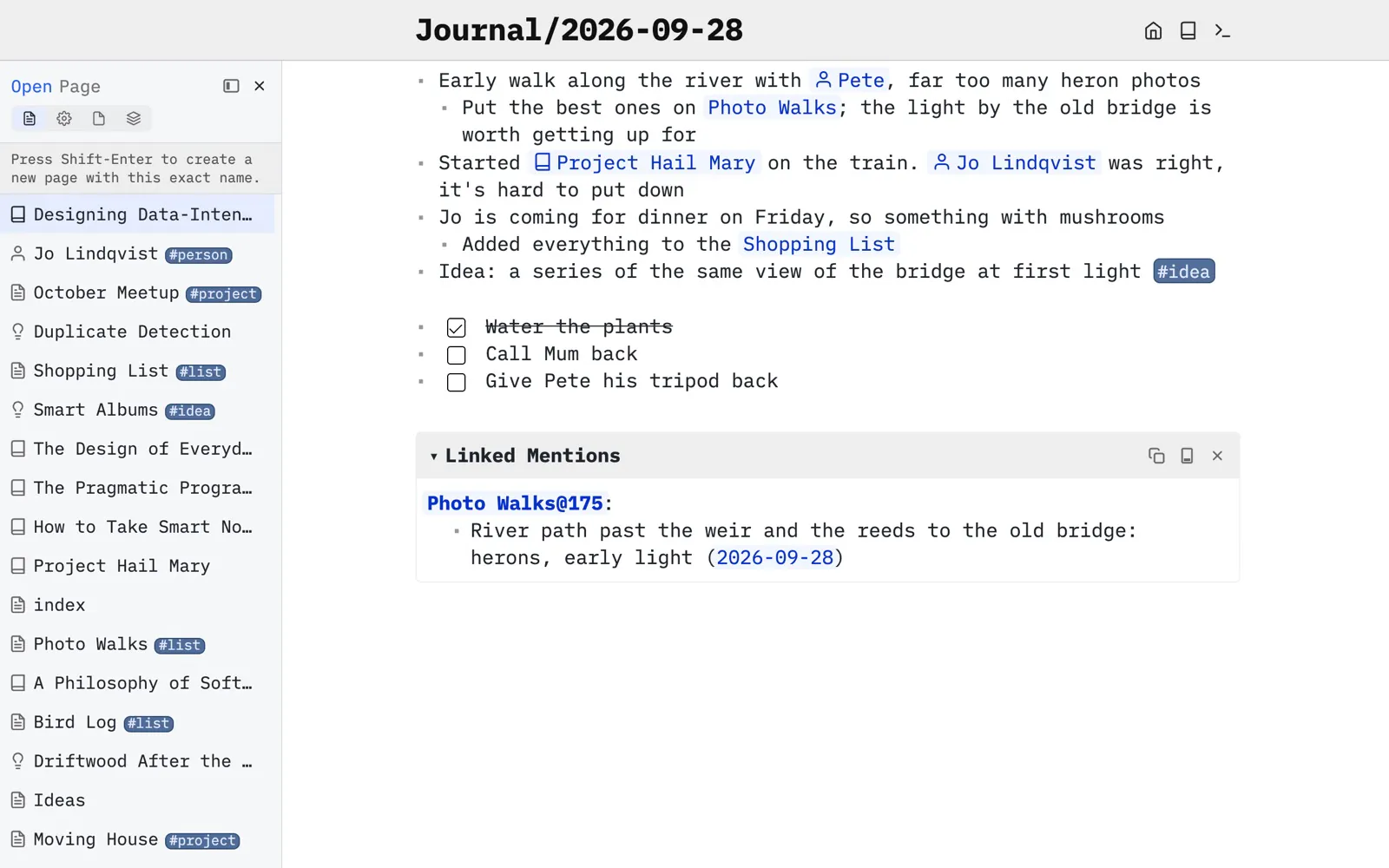
A journal that links your days.
Each day is a page. Mention a person, a book or a place and it becomes a link; the Linked Mentions below show every page that points back here.
Built with: Journal · Links · Linked Mentions
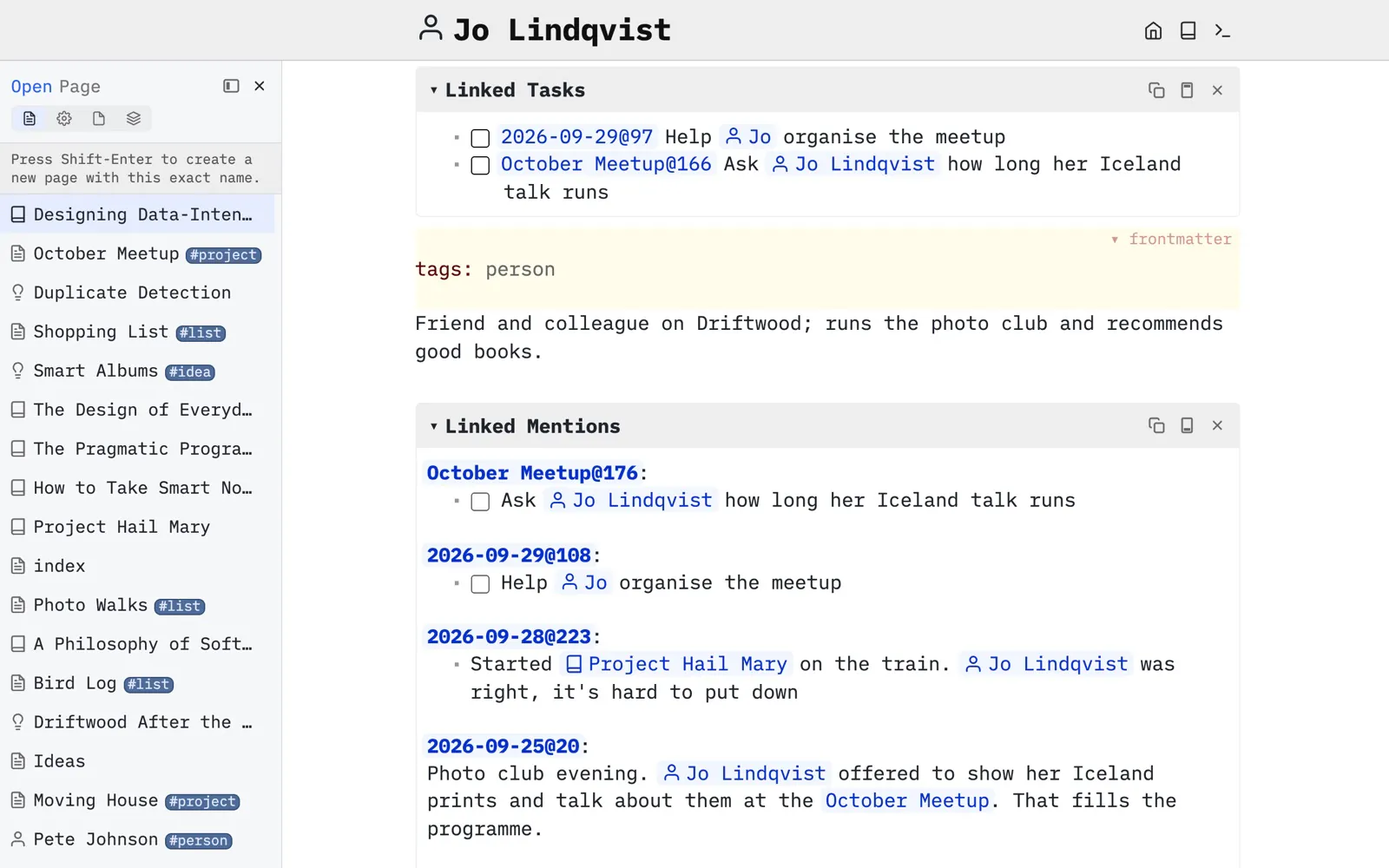
People, gathered for you.
Jo’s page is short: everything else comes from the days and pages that mention her. Her #person tag adds the icon, through a few lines of configuration.
Built with: Tags · Tag transforms · Page Decorations
Show some code
local function icon(i)
  return function(o)
    if o.tag == "page" then
      o.pageDecoration = { icon = i }
    end
    return o
  end
end

tag.define {
  name = "person",
  transform = icon "user",
}From CONFIG.
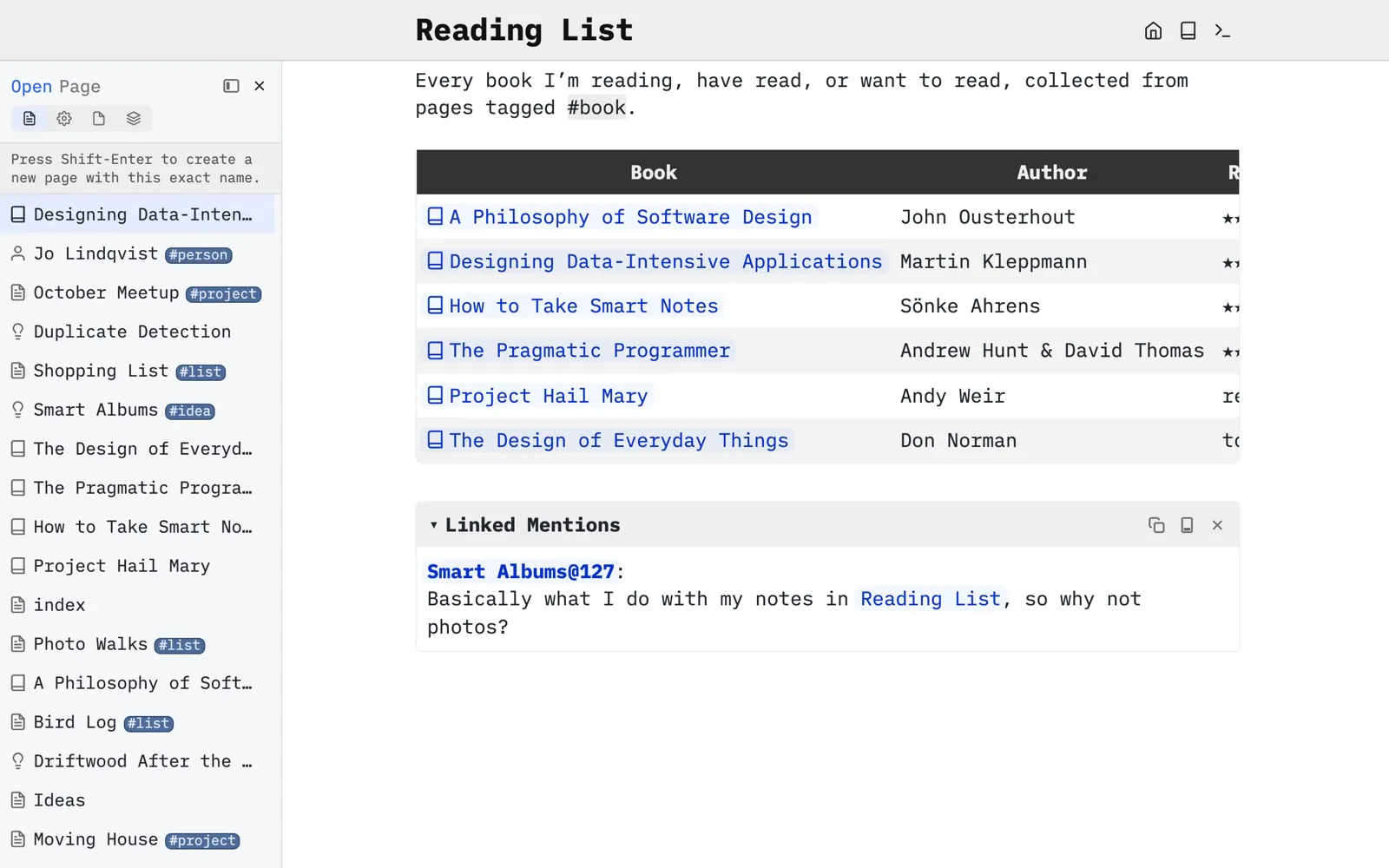
A reading list that keeps itself.
Every book is a page with its author, status and rating in frontmatter. Tag it #book and it appears in this table.
Built with: Frontmatter · Tags · Queries
Show some code
${query[[
  from b = index.contentPages "book"
  order by b.rating desc nulls last
  select {
    Book = "[[" .. b.name .. "]]",
    Author = b.author,
    Rating = b.rating and string.rep("★", b.rating) or b.status,
  }
]]}
From Reading List.
Configured in a page.
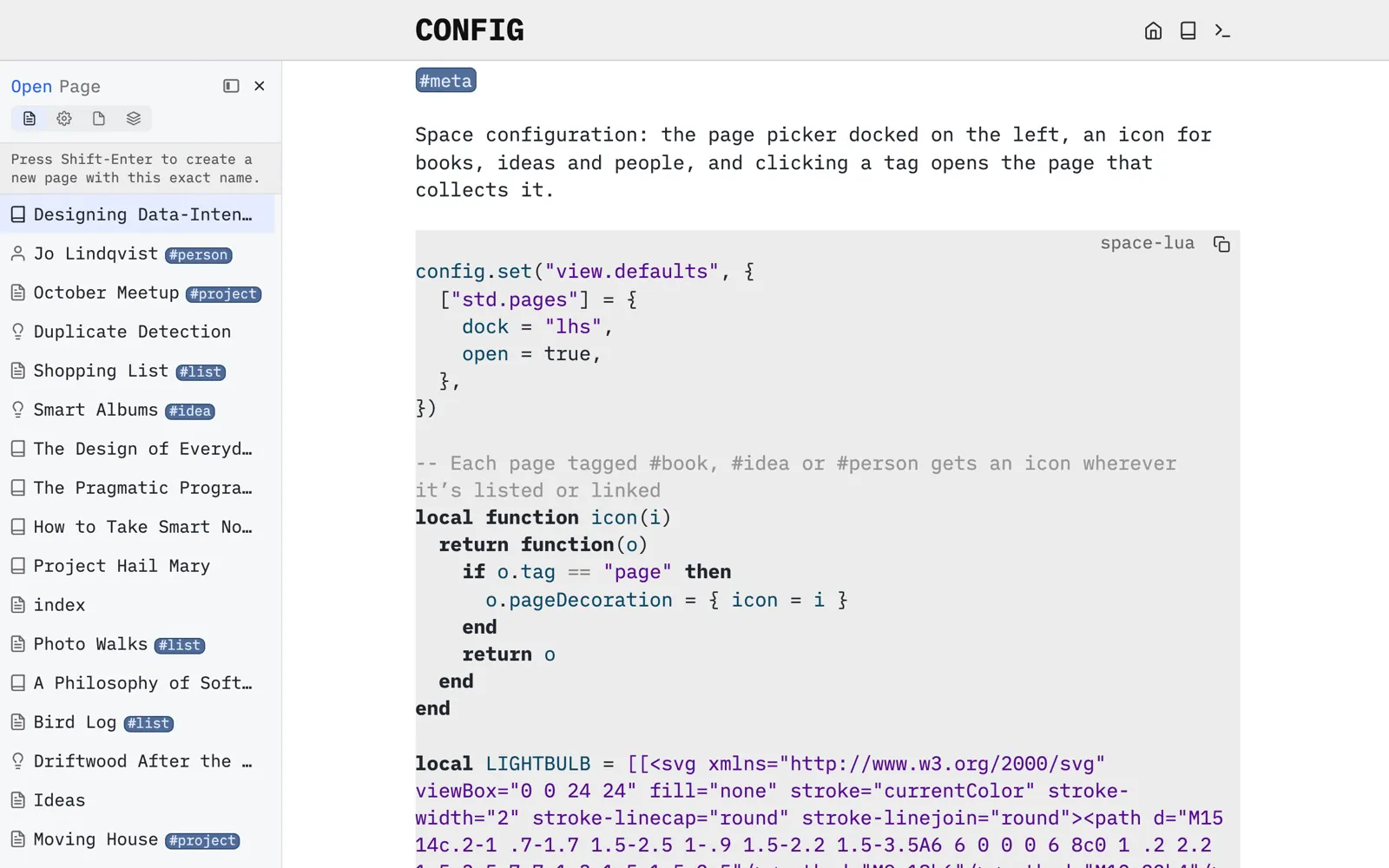
The page picker docked on the left, the icons for books, ideas and people, and which page each tag opens: all a few lines of Space Lua in CONFIG.
Built with: Configuration · Views · Tags
And also...
On your phone, even offline.
Add SilverBullet to your home screen and it works like an app, with editing buttons above the keyboard for moving and indenting lists. It keeps working without a connection, on a plane or up a mountain, and syncs when you’re back online.

Every device.
Sync through your own server, a host, or any file sync you already use. Tick an item off the shopping list in the shop, and it’s ticked at home.

Start with a folder.
Download SilverBullet Desktop and open a folder, or set up a server and use it from any browser. Your notes stay plain markdown either way.
Get started