A tool that changes shape with you.
Start with a clean editing experience. Gradually add structure, views and your own commands when you need them. SilverBullet grows into the tool you’d have built yourself, without having to build one from scratch.
Most tools make you choose: something simple that you outgrow, or something powerful that requires professional services to set up before it’s useful. And once you’ve set it up, it’s hard to evolve.
One SLIQ query: a list that keeps itself.
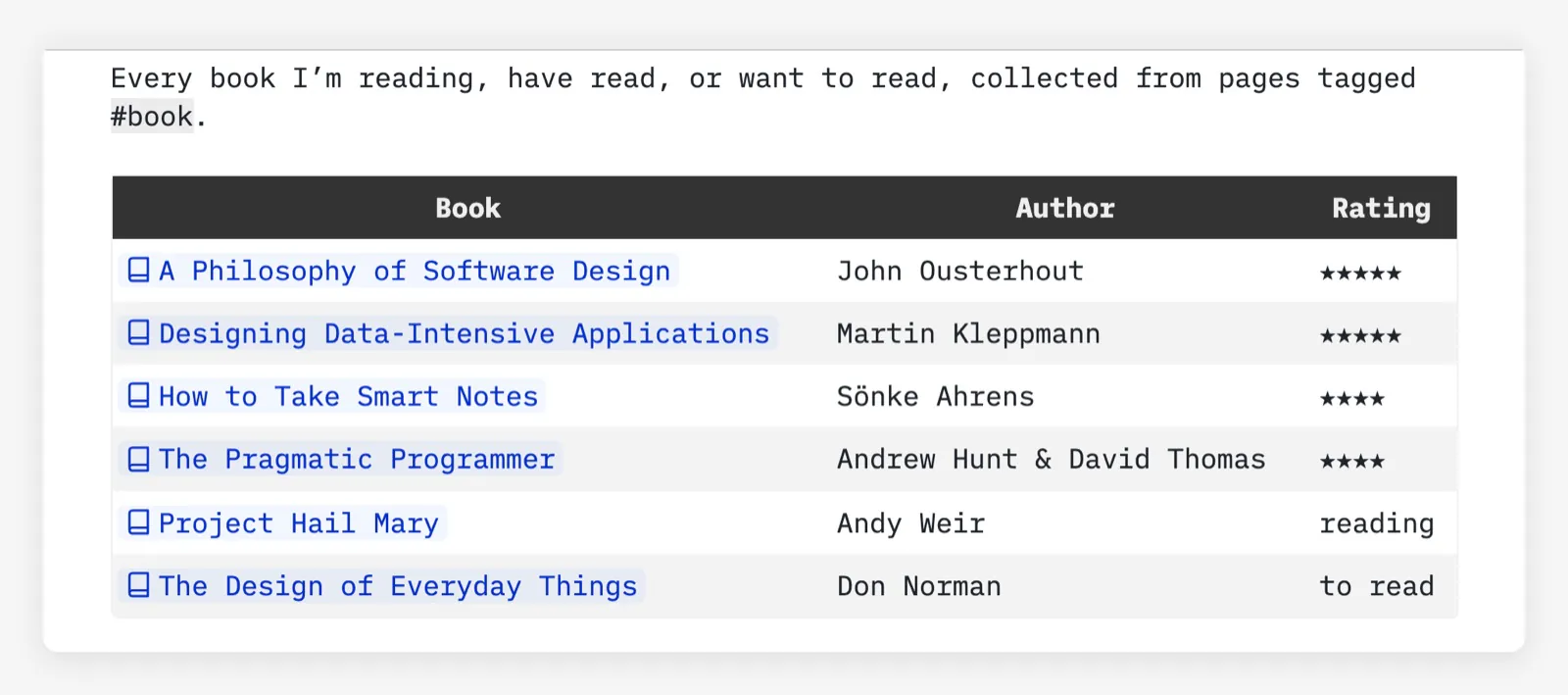
Tag a page #book and give it an author and a rating. Sam’s Reading List is a single query over every page tagged that way, so it stays up to date as he adds books, and every book in it is a link.
Show some code
${query[[
  from b = index.contentPages "book"
  order by b.rating desc nulls last
  select {
    Book = "[[" .. b.name .. "]]",
    Author = b.author,
    Rating = b.rating and string.rep("★", b.rating) or b.status,
  }
]]}
A few lines of Lua: an icon on every person link.
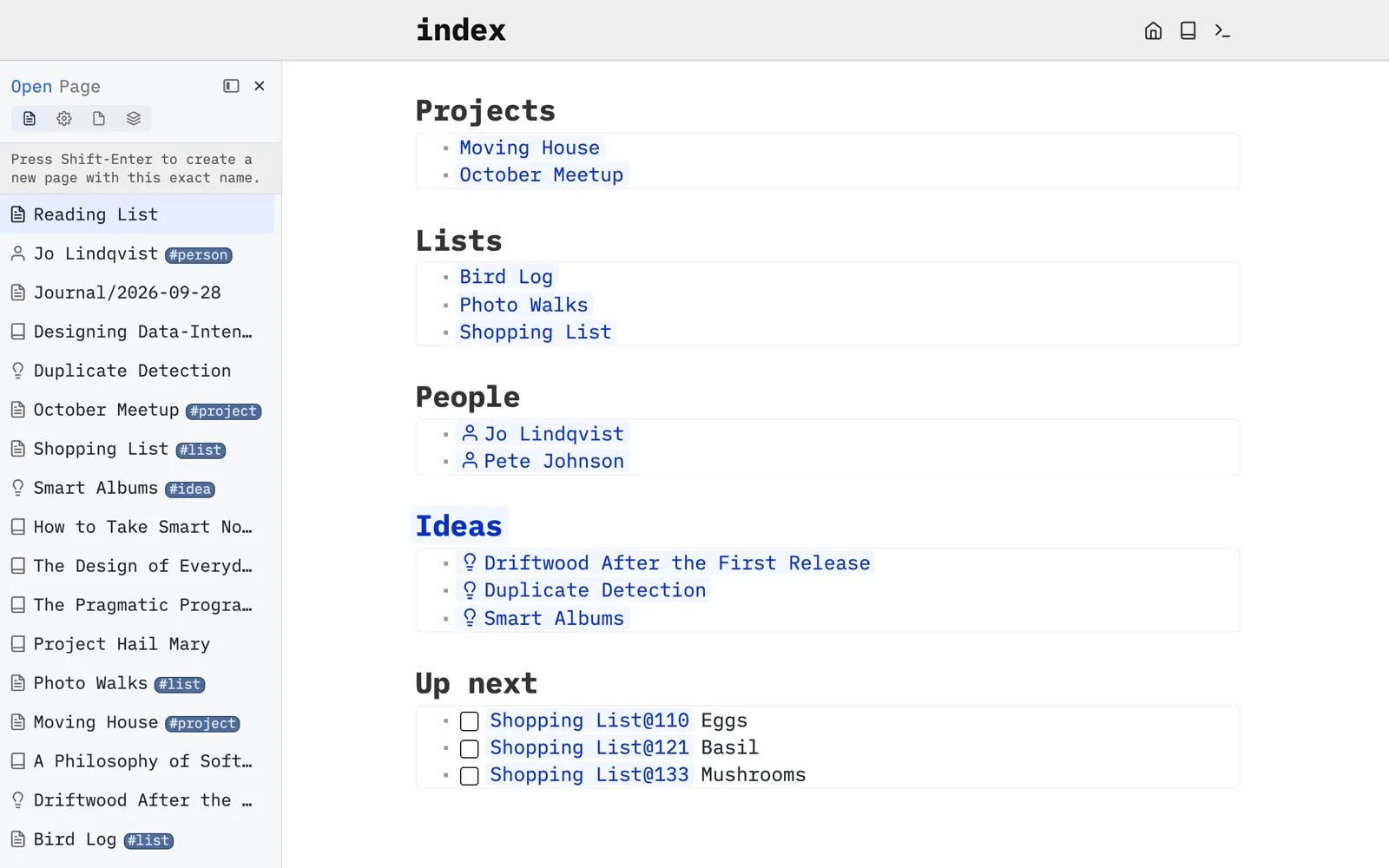
A tag can change how the pages that carry it are shown. In Sam’s space, every link to a #person page gets a person icon, like Jo and Pete under People, and so does the page’s entry in the page picker. Books and ideas get theirs the same way.
Show some code
local function icon(i)
  return function(o)
    if o.tag == "page" then
      o.pageDecoration = { icon = i }
    end
    return o
  end
end

tag.define {
  name = "person",
  transform = icon "user",
}
Page templates: new pages that start out right.
A page template is a page too. Sam’s Book template adds a “Book: Add” command: it asks for the title, then starts a page already tagged #book with a status, and the cursor where he writes why he wants to read it. The Reading List picks the new book up straight away.
Show some code
---
description: A page for a book I want to read; the Reading List picks it up.
command: "Book: Add"
suggestedName: "Untitled Book"
confirmName: true
tags: meta/template/page
frontmatter: |
  tags: book
  author:
  status: to read
---
Why I want to read it: |^|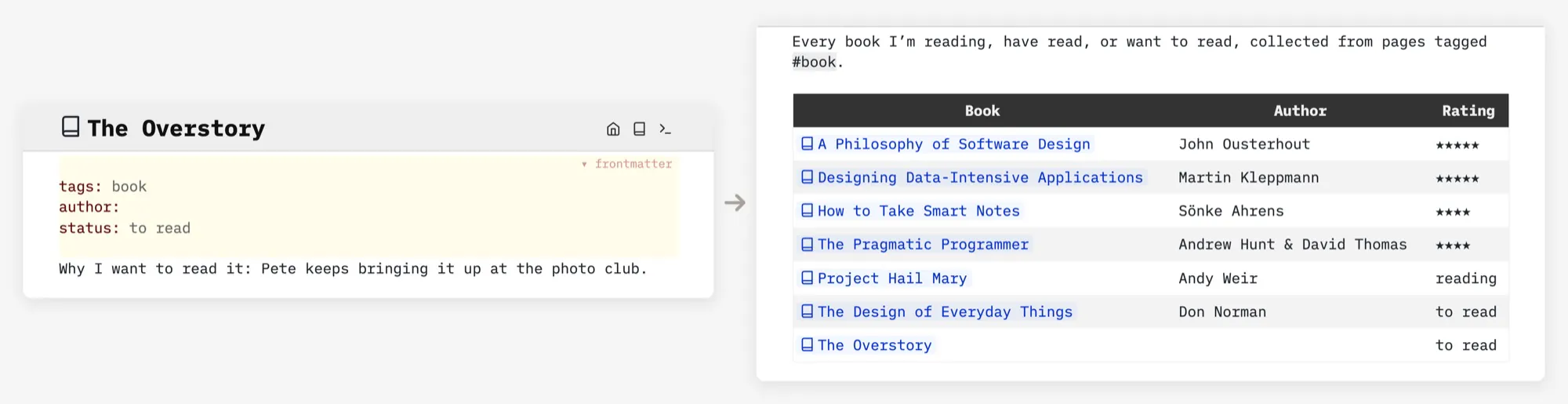
A diagram drawn from your page frontmatter.
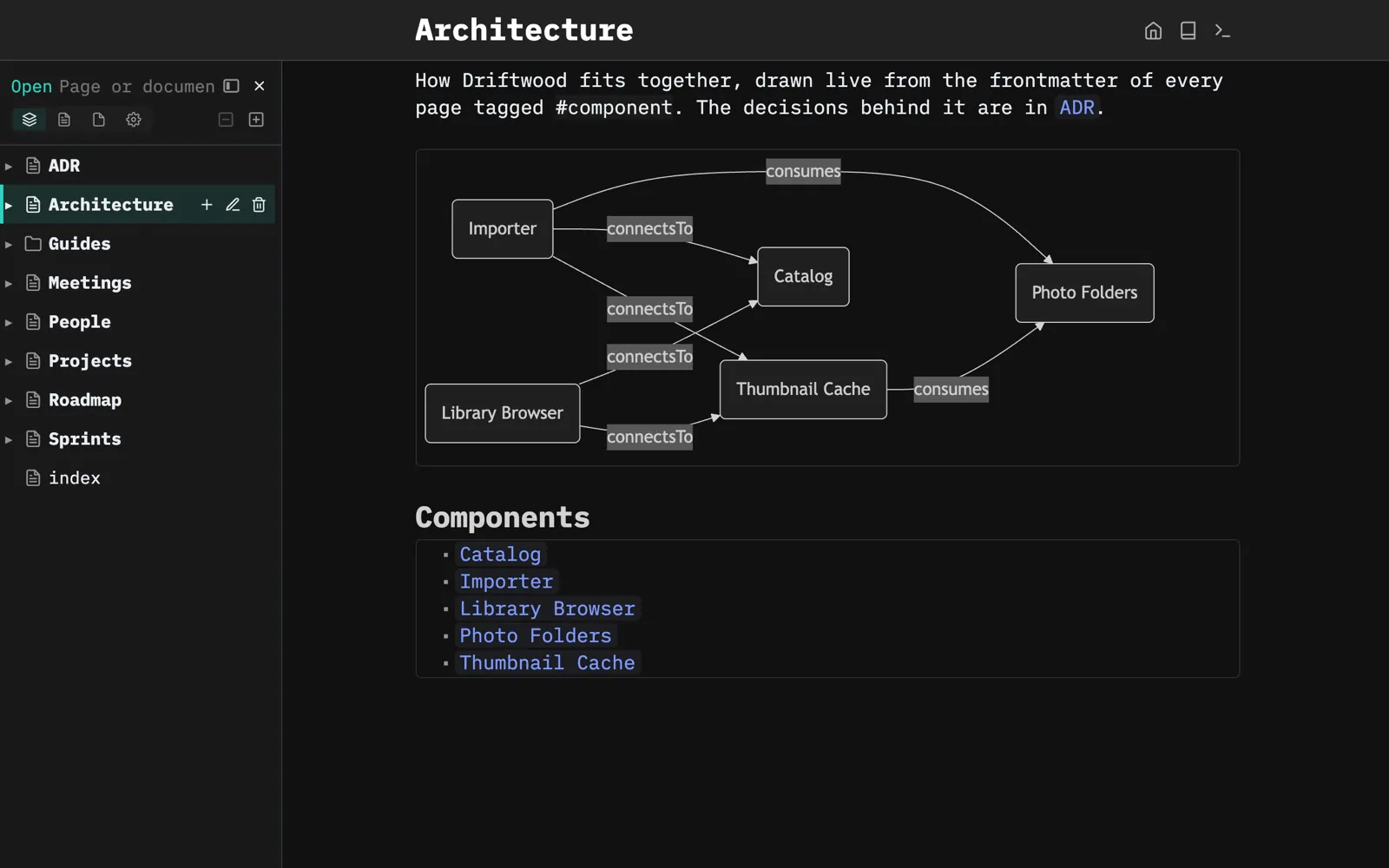
Each of the Driftwood team’s component pages says in its frontmatter what it connects to. The Architecture page draws the diagram from that, live, using a library from the community. Add a component, and it shows up in the picture.
Show some code
---
tags: component
consumes:
- "[[Architecture/Photo Folders]]"
connectsTo:
- "[[Architecture/Catalog]]"
- "[[Architecture/Thumbnail Cache]]"
---
${mermaid.diagram(mermaid.relationGraph {
pages = query[[from index.contentPages "component"]],
direction = "LR",
})}
A page that’s an app.
The Bakers’ home page is a fridge door: who’s cooking tonight, a note per dinner this week, chores per person and what’s coming up. Each part is a short Space Lua function that queries the family’s pages and builds the widget.
Show some code
function family.meals()
  local meals = query[[
    from m = index.items "meal"
    select m
  ]]
  table.sort(meals, function(a, b)
    return DAYS[a.day] < DAYS[b.day]
  end)
  local today = os.date "%a"
  local cards = {}
  for _, m in ipairs(meals) do
    table.insert(cards, dom.div {
      class = m.day == today and "fam-meal fam-today" or "fam-meal",
      dom.div { class = "fam-day", m.day },
      dom.div { class = "fam-dish", m.name },
      dom.div { class = "fam-cook", m.cook },
    })
  end
  return widget.htmlBlock(dom.div {
    class = "fam fam-meals",
    table.unpack(cards),
  })
end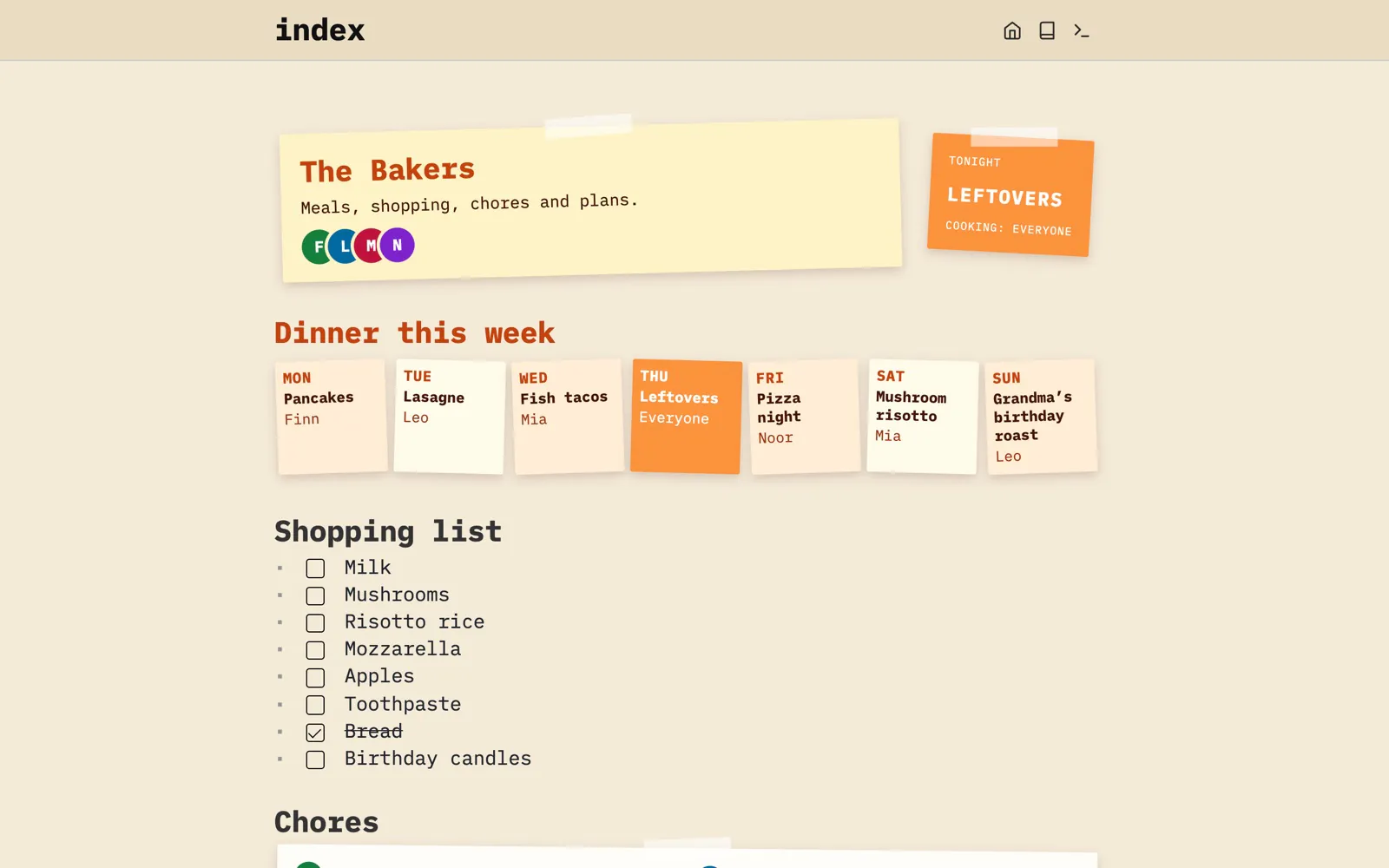
A space that looks like no other.
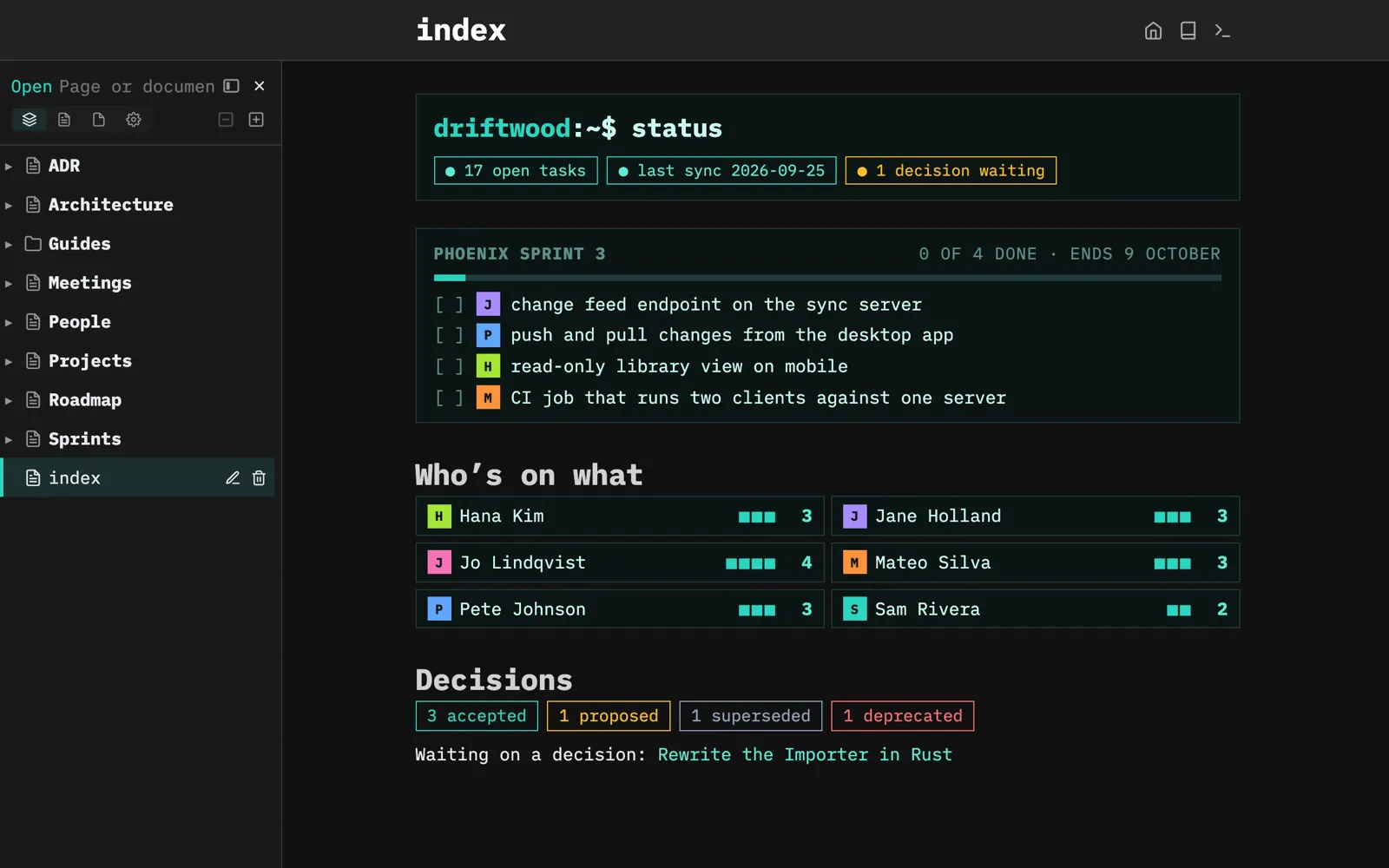
Space Style is CSS in a page. The Driftwood team wiki opens in dark mode, with flat, square panels and a terminal-style status line; the Bakers’ space is warm paper with crooked notes. Same SilverBullet, each restyled by its own page of CSS.
Show some code
.team-header,
.team-sprint,
.team-person {
  border: 1px solid #1f3b3a;
  background: #0b1514;
}

.team-pill {
  padding: 2px 10px;
  border: 1px solid #2dd4bf;
  color: #5eead4 !important;
  font-size: 0.8em;
}
.team-pill::before {
  content: "● ";
}
Even the navigation is yours.
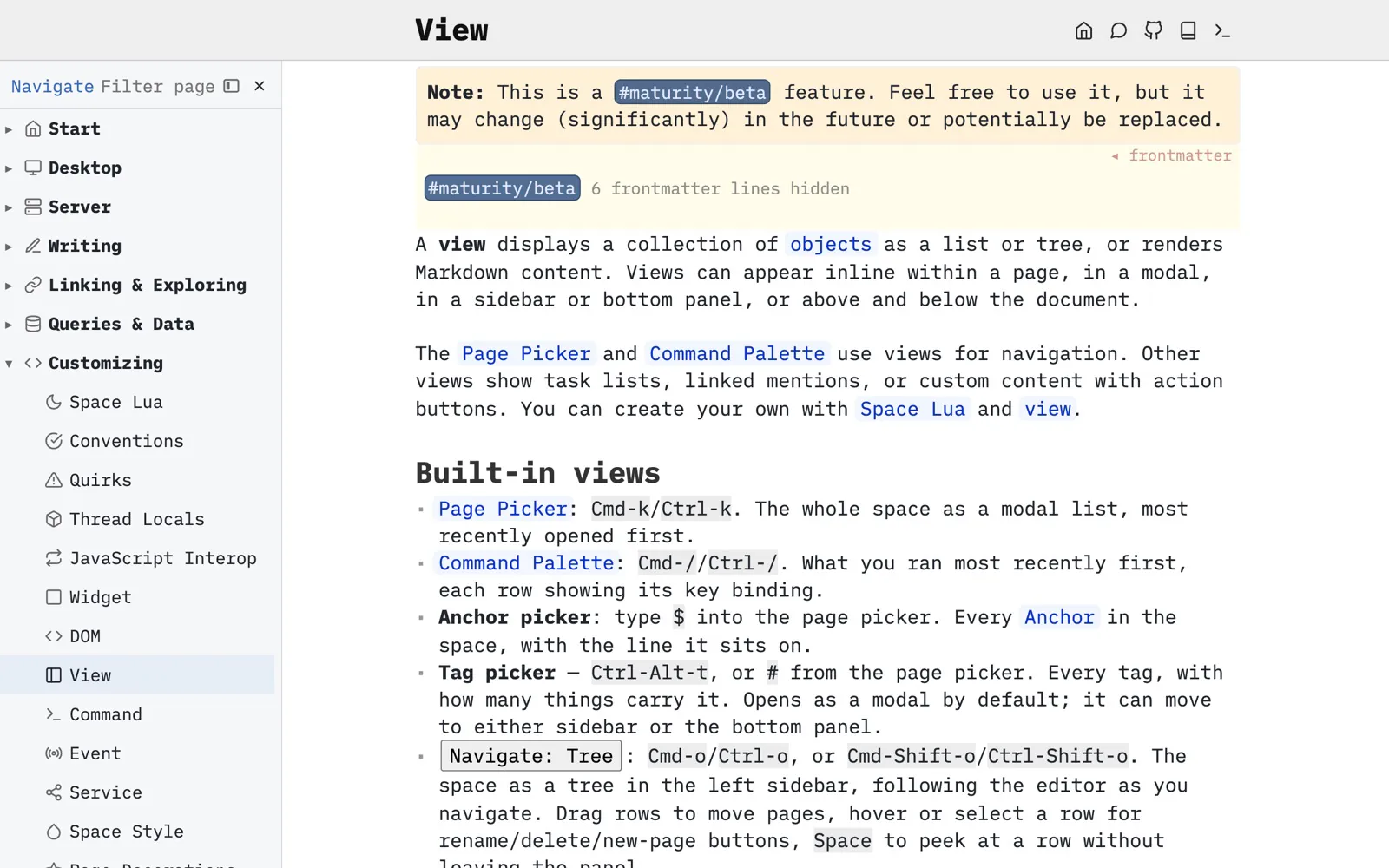
SilverBullet’s own documentation replaces the standard page tree with custom navigation: a hand-curated tree of sections, each page with its own icon, that follows along as you read. It’s a view defined in Space Lua, in a page anyone can curate.
Show some code
-- Simplified version
view.define {
  name = "docs.navigate",
  title = "Navigate",
  dock = "lhs",
  followEditor = true,
  source = function()
    local rows = {}
    for _, entry in ipairs(docsNav.pages) do
      rows[#rows + 1] = { name = entry.name, ref = entry.ref, icon = entry.icon }
    end
    return rows
  end,
  presentation = {
    mode = "tree",
  },
  onSelect = function(o)
    editor.navigate(o.ref)
  end,
}
Borrow what others made.
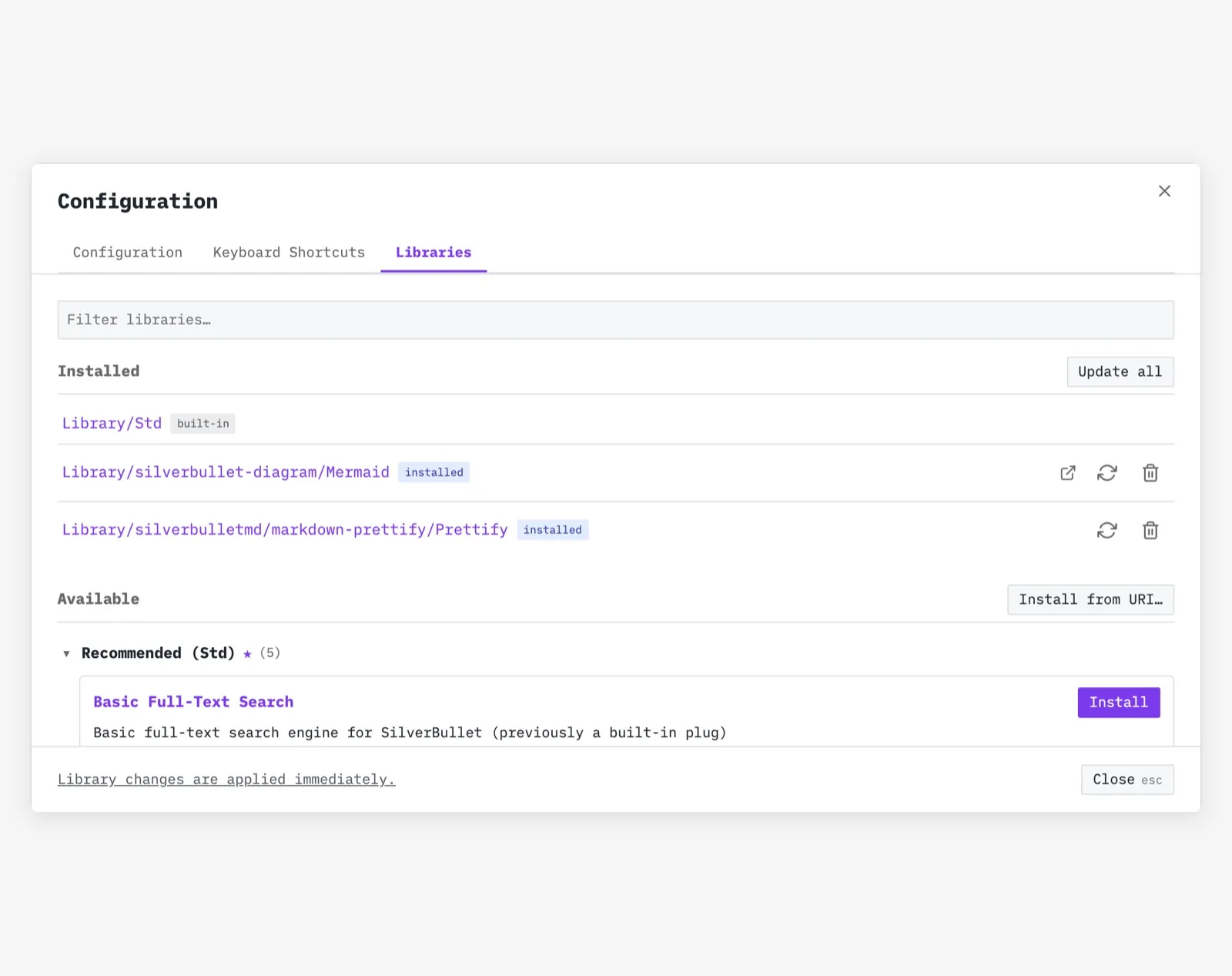
Install libraries shared by the community, like the diagram library the Driftwood team uses, and read exactly what they do: they’re pages in your space like any other.
Same tool, wildly different spaces.
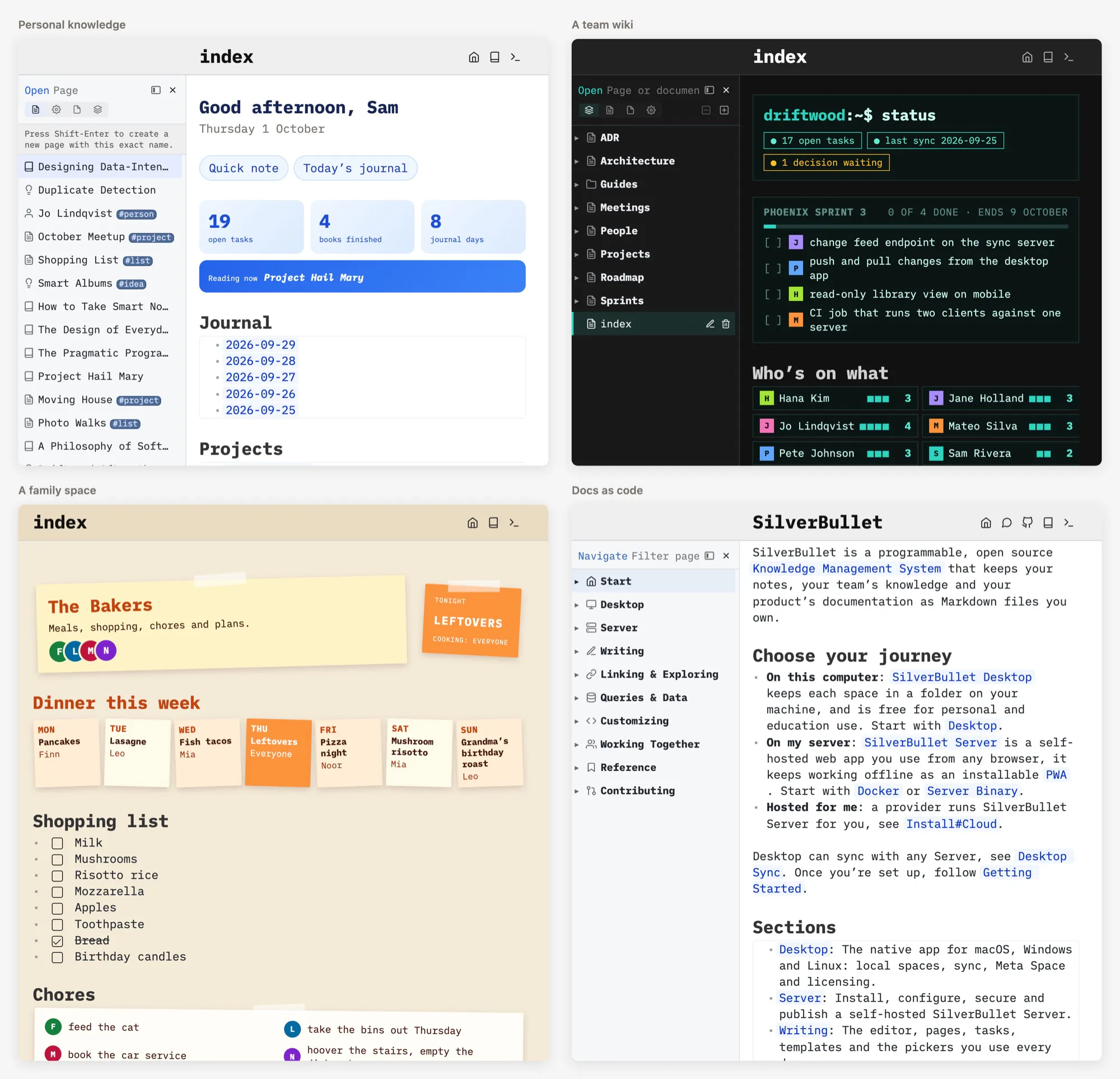
Put all of that together and no two spaces look alike. Sam’s personal notes revolve around a daily journal, the Driftwood team wiki around decisions and sprints, SilverBullet’s own documentation lives in git next to its code, and the Bakers’ family space revolves around dinners and chores. Each is a SilverBullet space, set up the way its owners needed it.
This is sometimes called malleable software: software that you can reshape to fit, instead of the other way round.
Learn Space Lua → · Queries → · Space Style → · Libraries → · All documentation →